The Business You Thought You Were Building
When most entrepreneurs start out, they have a picture in their head of what their business will look like.
They’ll do the work they’re good at. They’ll serve clients they enjoy working with. They’ll build something that grows without requiring them to be personally involved in every single thing that happens.
Then reality kicks in.
The first few clients become five, then ten. What was manageable when you were doing everything yourself becomes chaotic when there’s more of it. You hire someone to help, but now you’re spending time managing instead of doing. You add tools to stay organized, but the tools multiply until you’re spending more time maintaining your systems than running your business.
The picture in your head — the one where the business runs smoothly and you spend your time on the work that actually matters — feels further away than ever.
Here’s what most entrepreneurs don’t realize: the gap between where they are and where they want to be isn’t a gap in effort. It’s a gap in systems. Specifically, it’s a gap in intelligent systems that handle the operational machinery of the business so you don’t have to.
Building an AI-powered business is about closing that gap. Not just adopting a few tools, but fundamentally rethinking how your business is structured — so that AI handles what AI is good at, and you focus on what only you can do.
This is the complete roadmap for doing that. Practical, sequential, and built for entrepreneurs who want results, not just inspiration.
What “AI-Powered Business” Actually Means
Let’s clear something up before we go any further.
An AI-powered business is not one where you’ve replaced your team with robots. It’s not a business where you’ve subscribed to every AI tool that launched in the last six months. And it’s definitely not about chasing every shiny new technology that appears in your LinkedIn feed.
An AI-powered business is one where the operational layer — all the work that keeps the business running but doesn’t directly create value — is handled by intelligent systems rather than human hours. Where the repetitive, rule-based, data-intensive work that clogs up your team’s day is delegated to technology that can do it faster, more consistently, and at a fraction of the cost.
What’s left for you and your team? The work that genuinely requires human judgment. Creative decisions. Client relationships. Strategic thinking. Problem-solving that can’t be reduced to a sequence of steps.
That’s the business most entrepreneurs set out to build. AI is the most powerful tool available right now for actually getting there.
Why the Roadmap Matters (And Why Most Entrepreneurs Skip It)
Here’s the most common way entrepreneurs approach AI:
They hear about a tool. They sign up. They use it for two weeks. They get distracted by something else. The subscription sits unused. Six months later, they try the next thing.
The result is a graveyard of half-used tools, sporadic improvements, and no real change to how the business operates.
The reason this happens isn’t a lack of motivation. It’s a lack of roadmap. There’s no sequence, no strategy, no coherent vision of where they’re trying to get to. Each tool is adopted in isolation rather than as part of a larger system.
Building an AI-powered business requires a different approach. You need to understand the full picture before you start implementing the pieces — so that each step builds on the last, and the whole becomes greater than the sum of its parts.
That’s what this roadmap provides.
Phase 1: Audit Your Current Business Operations
Every successful transformation starts with an honest look at where you are right now. You can’t build a better system without understanding the existing one — including all its ugly, inefficient, embarrassing parts.
Map Every Core Process
Start by identifying every recurring process in your business. Not the big-picture strategic work — the operational machinery. How does a new lead get handled? What happens when a client signs? How do you onboard a new team member? What’s the process for creating and delivering your core product or service?
For each process, document the current state:
- What triggers it?
- What steps does it involve?
- Who does each step?
- How long does each step take?
- What tools are used?
- Where does it typically break down or slow down?
Don’t try to make this perfect. A rough map that captures reality is infinitely more useful than a polished document that describes how things should work rather than how they actually do.
Identify Your Biggest Bottlenecks
As you map your processes, you’ll start to see patterns. The same names appear over and over as the person responsible for critical steps — often yours. Certain steps consistently cause delays. Some tools don’t talk to each other, creating manual data transfer work. Some processes exist purely because nobody ever questioned whether they need to exist.
Circle the bottlenecks. These are your highest-leverage improvement opportunities — the places where fixing something creates compounding value downstream.
Calculate the True Cost of Your Current Operations
Here’s an exercise that tends to be a wake-up call for most entrepreneurs.
Take your most common repetitive tasks. Estimate how many hours per week they consume across your business — including your own time. Multiply by the hourly value of the people doing them.
Most businesses find that 20–40% of their labor costs are going toward work that could be automated. For a business spending $15,000 per month on labor, that’s $3,000–$6,000 per month in automatable work. Every month. Year after year.
Suddenly the investment of time and money required to build better systems looks very different.
Phase 2: Standardize Before You Automate
This is the phase most entrepreneurs skip — and it’s the reason most AI implementations underperform.
Here is the single most important principle in this entire roadmap: you cannot effectively automate a broken or undefined process.
AI needs structure. It needs clear inputs, defined logic, and predictable outputs. If your process looks different every time — if it depends on whoever happens to be handling it that day, their judgment calls, their personal workarounds — there is nothing consistent for AI to replicate.
Build SOPs for Every Core Process
A Standard Operating Procedure (SOP) is a documented, step-by-step description of how a process works. The goal isn’t bureaucracy — it’s clarity. When a process is clearly defined, it can be trained, delegated, measured, improved, and ultimately automated.
A good SOP for AI automation includes:
The trigger — What event or condition starts this process? A form submission. A signed contract. A calendar date. A task marked complete. Every automatable process has a clear trigger.
The steps — What happens next, in sequence? Be specific. “Send a follow-up email” is not specific enough. “Send Follow-Up Email Template B within 2 hours of trigger, with the contact’s first name and the specific service they inquired about inserted dynamically” — that’s specific enough to automate.
The decision points — Where does the process branch based on conditions? If the lead score is above X, do this. If below X, do that. If the invoice is unpaid after 7 days, send reminder A. After 14 days, send reminder B. Every if/then in your process needs to be explicitly documented.
The output — What does success look like? What should be true at the end of this process that wasn’t true at the beginning?
Simplify Before You Automate
While you’re documenting your processes, you’ll notice steps that exist for no good reason. Approval loops that were added years ago and never questioned. Manual data transfers between tools that could be integrated. Checks and balances that made sense when the business was smaller but are now just overhead.
Simplify these before you automate. An automation that replicates a bad process just makes the bad process run faster. Clean it up first, then build the automation around the clean version.
Phase 3: Build Your Core Automation Layer
With your processes documented and standardized, you’re ready to start building. This phase is where the visible transformation begins.
Start With Your Highest-Leverage Workflows
Not all processes are equal. The right order to automate is determined by two factors: how much time the process consumes, and how directly it affects revenue or customer experience.
The processes at the intersection of those two factors — high time consumption, high business impact — go first.
For most entrepreneurs, the first three automations to build are:
Lead intake and follow-up — Every lead that comes in gets captured, qualified, and responded to automatically. No lead falls through the cracks. No lead waits 12 hours for a response because you were busy with something else. This automation directly affects revenue, which makes it the highest priority in almost every business.
Client onboarding — The moment a client signs, a sequence fires that handles the entire onboarding process without manual involvement. Welcome email, intake questionnaire, project setup, kickoff call scheduling — all automatic. This directly affects client satisfaction and sets up the relationship for success.
Invoicing and payment follow-up — Invoices are created and sent automatically when work is completed. Reminders go out on a schedule without you having to feel awkward about chasing payment. This directly affects cash flow, which affects everything.
Build these three first. They’ll pay for everything else many times over.
Connect Your Core Business Tools
Modern business runs on a stack of specialized tools — CRM, email platform, project management, accounting software, communication tools. The problem is that these tools don’t naturally talk to each other. Data has to be manually moved between them. Steps that should trigger automatically require human action.
A workflow automation platform like Zapier or Make fixes this by acting as the connective tissue between your tools. When something happens in one tool, the automation platform detects it and fires the appropriate actions in the others.
Your goal in this phase is to connect your core stack so that information flows automatically between the tools that need it, without any manual data transfer.
The most common connections to build first:
- Form submissions → CRM → Email platform
- CRM deal stages → Project management tasks
- Project completion → Invoicing software
- Calendar bookings → CRM + task creation + team notifications
- Payment received → Client folder creation + onboarding sequence
Each of these connections eliminates a manual data transfer task. Together, they create a business where information moves automatically and nothing gets lost in the handoffs.
Use AI to Handle the Judgment Calls
Basic workflow automation handles rule-based steps: if X happens, do Y. But some steps in your processes require more nuance than a simple rule can capture.
This is where AI comes in — not as a separate tool, but as a layer within your automated workflows.
Lead scoring — instead of a simple rule (lead from a company over X employees gets scored high), an AI tool analyzes the full context of the inquiry and scores more accurately.
Email personalization — instead of a template that just inserts the person’s first name, an AI tool drafts a response based on what they actually wrote in the form, making it feel personal rather than automated.
Content summarization — instead of manually reading every support ticket to triage it, an AI tool reads and categorizes them, flagging urgency and routing appropriately.
The combination of workflow automation (handling the mechanics) and AI (handling the judgment) is what creates workflows that genuinely replace the quality of human execution — not just the speed.
Phase 4: Build Your AI Decision Support Layer
Once your operations are running automatically, the next phase is getting smarter about the decisions you make as a leader. This is where AI shifts from handling execution to informing strategy.
Create Automated Reporting Dashboards
Most entrepreneurs make business decisions based on gut feel, because the data required to make informed decisions is spread across a dozen different tools and would take hours to compile manually.
Automated reporting fixes this. When your tools are connected and your data flows automatically, building dashboards that give you real-time visibility into your business becomes straightforward.
The metrics every entrepreneur needs to see at a glance:
- Revenue and pipeline (what’s been invoiced, what’s outstanding, what’s projected)
- Lead volume and conversion rates (how many leads are coming in, what percentage are converting, where they’re dropping off)
- Operational capacity (how much work is in progress, what’s the team’s current load, where are the bottlenecks)
- Client health (which relationships are strong, which need attention, who’s at risk of churning)
When you can see these numbers in real time without anyone having to compile them, your decision-making improves immediately.
Use AI for Forecasting and Planning
Beyond reporting on what happened, AI tools can help you understand what’s likely to happen next.
Revenue forecasting based on pipeline data and historical close rates. Capacity planning based on current project load and projected new business. Cash flow projections based on outstanding invoices and upcoming expenses.
This forward-looking intelligence is what separates reactive management (responding to problems after they’ve already happened) from proactive management (anticipating issues and addressing them before they become serious).
You don’t need a sophisticated data science team to access this. Most modern CRM and business management tools have built-in forecasting features. The key is making sure your data is clean and current — which is a natural output of the automation work you’ve done in Phase 3.
Build a Personal AI Assistant Into Your Workflow
Beyond business-wide systems, one of the highest-leverage things an entrepreneur can do is build AI assistance into their own daily work.
Using AI for first drafts of emails, proposals, and content. For summarizing long documents and meeting transcripts. For research and competitive analysis. For thinking through decisions by using AI as a sounding board.
The entrepreneurs getting the most out of AI aren’t using it occasionally for specific tasks — they’ve made it a natural part of how they work every day. The compounding productivity advantage this creates is substantial.
Phase 5: Move Toward Autonomous Operations
At the frontier of what’s possible right now, AI isn’t just supporting human work — it’s taking ownership of entire operational domains. This is where the concept of truly building to work on your business rather than in it becomes real.
Deploy AI Agents for Complex Tasks
AI agents are different from basic automations. Where a workflow automation follows a fixed sequence of steps, an AI agent takes a goal and figures out how to achieve it — making decisions, using tools, adapting to new information along the way.
Early examples of AI agents being used by forward-thinking entrepreneurs today:
Research agents that monitor competitors, industry trends, and news, surface relevant findings, and deliver structured briefings without anyone having to actively search.
Outbound prospecting agents that identify potential leads matching your ideal customer profile, research them, and draft personalized outreach — reducing the manual research and writing time for prospecting dramatically.
Content creation agents that take a brief, research the topic, draft a piece of content, and format it for publication — producing a workable first draft with minimal human input.
Customer success agents that monitor client activity signals, flag accounts showing signs of disengagement, and draft proactive outreach for you to review and send.
These aren’t fully autonomous yet — human review and direction are still necessary. But the leverage they create is real and growing.
Build Human Oversight Into Everything
Here’s something important that gets lost in the enthusiasm around AI autonomy: the goal is not to remove humans from your business. It’s to elevate what humans are doing.
As AI takes over more of the execution layer, your role as an entrepreneur shifts from doing to directing. You set strategy. You make judgment calls on the decisions AI surfaces. You handle the relationships that require genuine human connection. You catch the errors and edge cases that automated systems don’t handle perfectly.
This requires building oversight into your systems deliberately. Regular reviews of automated workflows to ensure they’re producing the right outcomes. Human checkpoints on high-stakes actions before they fire. Feedback loops that allow you to improve your AI systems over time.
The businesses that get into trouble with automation are the ones that set systems up and forget about them. The ones that succeed treat their AI infrastructure as something to be actively managed and improved — not a box to check and move on.
Create a Culture of Continuous Improvement
An AI-powered business is never finished. It’s always getting better.
The businesses winning most consistently aren’t the ones that did one big AI implementation project. They’re the ones that built a habit of looking at their operations and asking: is there a smarter way to do this?
Build this habit into your rhythm. A monthly operations review where you look at your workflows, identify what’s breaking or underperforming, and make one improvement. A standing question for your team: what did you do this week that felt unnecessarily manual? A commitment to building one new automation per month for the next year.
Compounding applies to operational improvements just as much as it applies to financial investments. Small, consistent improvements over time create businesses that are dramatically more efficient than where they started — and dramatically more competitive than businesses that aren’t doing this at all.
The Entrepreneur’s AI-Powered Business Stack
You don’t need 40 tools. Here’s a lean, effective stack that covers the full picture for most entrepreneurs:
Workflow Automation: Zapier (start here) or Make (for more complex workflows) — the connective tissue between everything else.
CRM: HubSpot (generous free plan), Pipedrive, or whatever you’re using that integrates well. The key is that it’s your source of truth for all customer and prospect data.
AI Assistant: Claude or ChatGPT — for writing, research, summarization, analysis, and thinking through decisions. This should be open in a tab every day.
Scheduling: Calendly or Cal.com — eliminates scheduling back-and-forth entirely.
Project Management: Asana, ClickUp, or Notion — wherever your work and team tasks live, with automation features to trigger workflows when tasks change state.
Email Marketing: ConvertKit, ActiveCampaign, or Mailchimp — for automated nurture sequences, newsletters, and client communications.
Accounting: QuickBooks, FreshBooks, or Wave — connected to your project management tool so invoices generate automatically.
Document Signing: DocuSign or PandaDoc — with webhook triggers to fire your onboarding workflow the moment a contract is signed.
Reporting: Google Looker Studio (free) or Databox — pulling data automatically from your connected tools into visual dashboards.
That’s nine tools. Most entrepreneurs find this covers 90% of what they need. Start with the ones most relevant to your biggest current bottlenecks and add the rest as you build.
Common Pitfalls That Derail Entrepreneurs
Building an AI-powered business is a significant undertaking. Here are the mistakes that most commonly derail the process — so you can avoid them.
Trying to Build Everything at Once
The most common mistake. An entrepreneur gets inspired, maps out 20 automations they want to build, starts on all of them simultaneously, and finishes none.
Building an AI-powered business is a marathon, not a sprint. Pick the highest-priority workflow. Build it well. Get it running. Measure the impact. Then move to the next one.
Automating Before Standardizing
We covered this in Phase 2, but it bears repeating because it’s so consistently the source of underperforming implementations. If the process isn’t documented and consistent, the automation will be fragile, inaccurate, and full of edge cases that require manual intervention.
Do the unglamorous work of standardizing first.
Focusing on Tools Instead of Outcomes
It’s easy to get lost in the world of AI tools — the demos are impressive, the feature lists are seductive, and there’s always a new one to explore.
Keep yourself anchored to outcomes. Every tool adoption should be evaluated against a specific question: which current bottleneck does this solve, and how much is solving it worth? If you can’t answer that question clearly, you don’t need the tool.
Neglecting the Human Side of Change
If you have a team, building AI into your operations affects them. Their roles change. Some tasks they used to do disappear. New responsibilities emerge.
Bringing your team into the process — explaining why you’re making changes, involving them in designing the new workflows, giving them time to adapt — is not optional. The best AI implementation in the world will fail if the people working within it don’t understand or trust it.
Expecting Perfection From Day One
Every automation will have bugs. Edge cases you didn’t anticipate. Situations where the logic breaks down. This is normal.
Build with the expectation that you’ll need to iterate. Launch something that’s 80% right, monitor it, fix the issues as they arise, and improve over time. Waiting for perfection before launching means waiting forever.
What Your Business Looks Like on the Other Side
Let’s paint the picture of where this roadmap leads.
Twelve months from now, if you execute this consistently:
New leads are being captured, qualified, and followed up with automatically — no inquiry falls through the cracks, response times are measured in minutes not days.
New clients are being onboarded smoothly and consistently — every client gets the same excellent experience, and you’re not personally orchestrating any of it.
Invoices are going out on time and getting paid faster — because the reminders are automated and unemotional.
Your team is spending significantly less time on administrative work — and significantly more time on the work that actually creates value.
You have real-time visibility into the health of your business — revenue, pipeline, capacity, client satisfaction — without anyone having to compile that information manually.
And most importantly: you’re spending your time differently. Less reactive, less operational, more strategic. More time on the work that drew you to entrepreneurship in the first place.
That’s not a fantasy. It’s the consistent experience of entrepreneurs who commit to building their business this way.
The roadmap is clear. The tools exist. The ROI is proven.
What’s left is the decision to start — and the discipline to keep building, one phase at a time.
Frequently Asked Questions
How long does it take to build an AI-powered business?
For a small business, meaningful operational transformation is achievable within 3–6 months of focused effort. Full implementation — where the majority of operational work is systematized — typically takes 6–12 months. The key is starting, not waiting for the perfect time or the perfect plan.
Do I need technical skills or a technical team?
No. The modern automation and AI tool landscape is designed for non-technical users. If you’re comfortable using standard business software, you have the skills to build the majority of what’s in this roadmap. For more complex custom integrations, freelance help from a Zapier specialist or automation consultant is widely available and not expensive.
What’s the typical ROI?
The most conservative estimates for businesses that implement automation systematically suggest 10–20 hours per week recovered per employee who was doing automatable work. At even a conservative labor cost, that’s typically 3–5x return on the cost of tools and implementation time within the first year.
What if my business is too small for this?
There is no business too small to benefit from automation. In fact, the smaller the team, the higher the leverage — because each individual team member’s time is proportionally more valuable. A solo entrepreneur who automates their lead intake, scheduling, invoicing, and client onboarding has effectively given themselves an extra day per week.
Where should I start tomorrow?
Map your current processes. Identify the three that consume the most time or create the most friction. Pick one. Document it as a clear SOP. Then build the automation for that one process. That’s it. Start there.
Final Thought
Building an AI-powered business isn’t a technology project. It’s a strategic decision about how you want to spend your time and what kind of company you want to build.
The entrepreneurs who get this right aren’t necessarily the most technical. They’re the ones who got clear on what they were trying to build, were honest about what was standing between them and that vision, and built the systems — step by step — to close that gap.
The roadmap is in front of you.
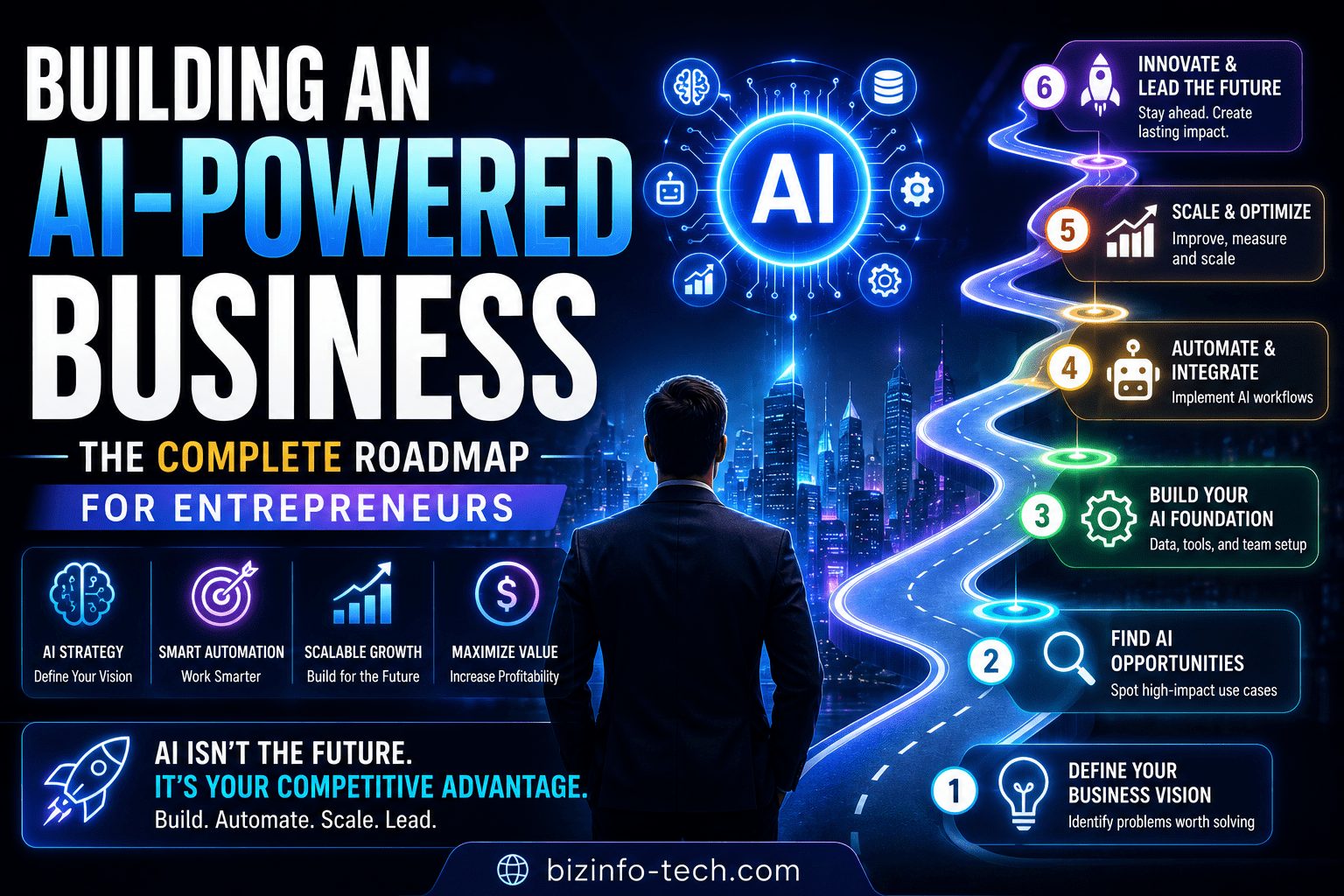
Phase 1: Audit what you have. Phase 2: Standardize what works. Phase 3: Automate the mechanics. Phase 4: Add intelligence to your decision-making. Phase 5: Move toward autonomous operations.
One phase at a time. One workflow at a time. One step closer to the business you actually set out to build.
Related reads: The Ultimate Guide to AI for Business Operations | How to Automate Repetitive Business Tasks Using AI | How to Build Standard Operating Procedures (SOPs) That AI Can Execute