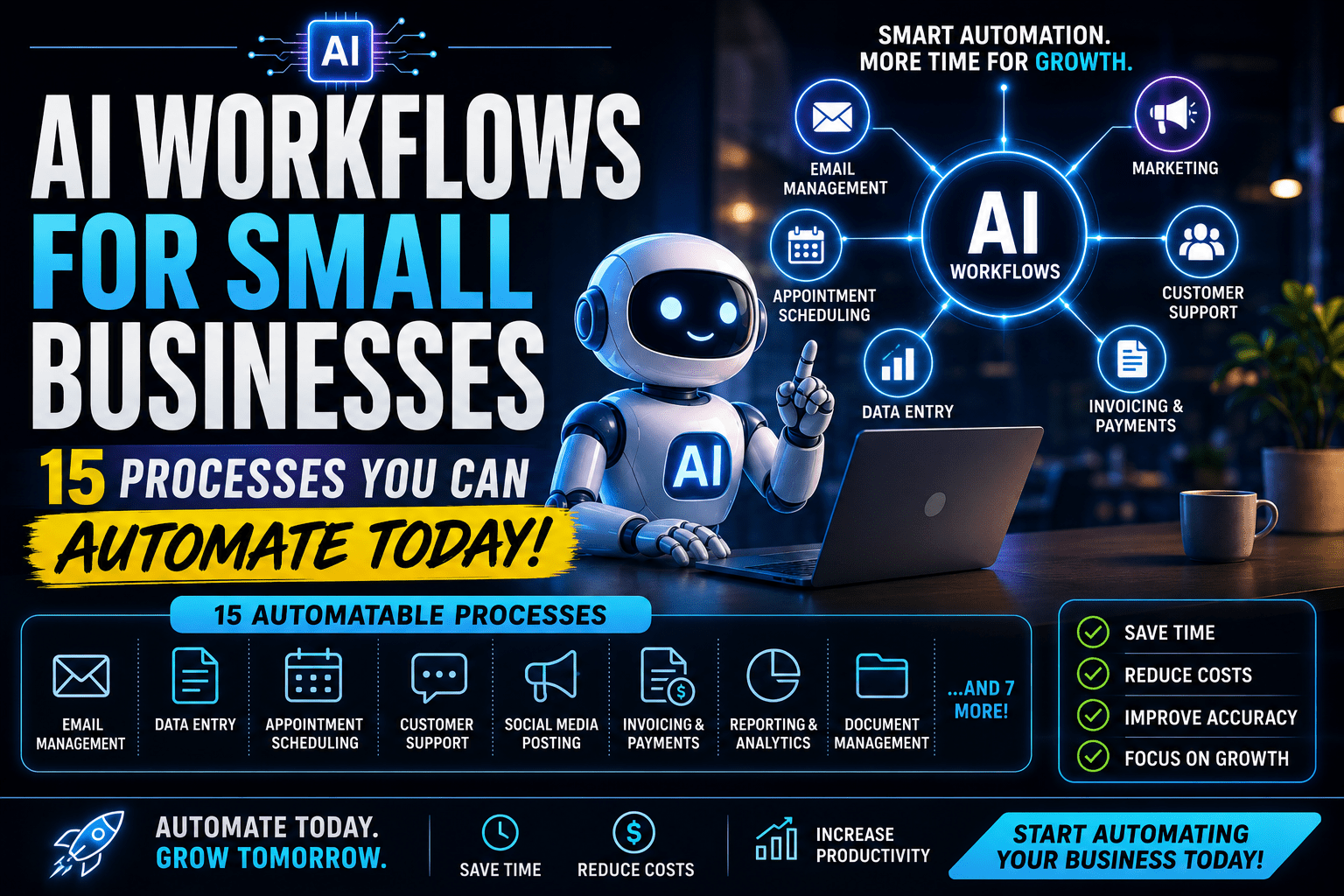
Small Business, Big Operational Problem
Running a small business is a masterclass in wearing too many hats.
You’re the strategist and the operator. The salesperson and the account manager. The decision-maker and the person who still has to chase that one client for a late invoice every single month.
The promise of building something of your own is freedom — freedom to do meaningful work, make your own decisions, build something lasting. What nobody tells you upfront is how much of your actual time gets eaten by the administrative machinery underneath it all.
Most small business owners aren’t short on good ideas or capable people. They’re short on time. And a significant chunk of that time is being spent on processes that should — and can — run themselves.
The good news is that AI and workflow automation have reached a point where small businesses can build operational infrastructure that used to be reserved for companies with large IT budgets and dedicated operations teams. The tools are affordable. They don’t require a technical background. And they work.
This guide isn’t about theory. It’s about the 15 specific processes you can start automating right now — this week — using tools that are accessible, affordable, and proven to work for small businesses.
Let’s get into it.
What Is an AI Workflow, Exactly?
Before the list, a quick clarification on what we mean by “AI workflow” — because it gets thrown around loosely.
A workflow is simply a sequence of steps that gets a process from start to finish. When a new client signs a contract, what happens next? When a lead fills out your contact form, what’s the sequence of actions that follows? When a team member completes a task, how does the next step get triggered?
In a manual business, workflows exist — they just live in people’s heads, inboxes, and habits. Someone knows to do X after Y happens, because that’s how things have always been done around here.
An automated AI workflow takes that same sequence and makes it run without human involvement. The trigger fires, the steps execute, the outcome happens — whether or not anyone is watching.
The “AI” part means that some of those steps involve intelligent judgment, not just rule-based execution. Not just “when form is submitted, send email” — but “when form is submitted, analyze the response, score the lead, route it to the right person based on that score, and send a personalized message based on what they said.”
That combination — automation plus intelligence — is what makes modern AI workflows so powerful for small businesses. You’re not just removing manual steps. You’re replacing them with something that’s often faster, more consistent, and more accurate than what a human would do.
What You Need to Get Started
You don’t need a technical team. You don’t need to know how to code. Here’s the basic toolkit that covers most of what’s in this guide:
A workflow automation platform: Zapier is the most beginner-friendly. Make (formerly Integromat) is more powerful for complex workflows. Either one will handle the majority of what’s in this list. Both have free plans to start.
An AI assistant: Claude or ChatGPT for anything that requires writing, summarizing, analyzing, or making judgment calls within a workflow.
Your existing business tools: Whatever CRM, email platform, project management tool, accounting software, and communication tools you’re already using. Almost all of them connect to Zapier or Make.
That’s genuinely it to start. You can build all 15 of these workflows with those pieces in place.
The 15 AI Workflows Every Small Business Should Have
1. New Lead Intake and Qualification
The problem: Someone fills out your contact form. Now what? In most small businesses, the answer is “someone eventually checks their email, reads it, maybe logs it somewhere, and hopefully follows up before the lead goes cold.”
The workflow:
- Trigger: New form submission on your website
- Step 1: Contact is automatically created or updated in your CRM
- Step 2: AI analyzes the form responses and scores the lead against your ideal customer profile
- Step 3: High-scoring leads get assigned to you or a team member immediately with a priority task
- Step 4: An automatic personalized confirmation email goes to the lead within minutes of submission
- Step 5: If the lead doesn’t book a call within 48 hours, a follow-up sequence begins
Why it matters: Speed to lead is one of the biggest factors in conversion. Studies consistently show that responding within the first hour dramatically increases the likelihood of a lead converting. An automated workflow makes that speed possible regardless of when the inquiry comes in.
Tools to use: Zapier + your form tool (Typeform, JotForm, or your website’s native form) + your CRM + your email platform.
2. Automated Meeting Scheduling
The problem: “Does Thursday work for you? No? What about Tuesday? I’m free at 2pm or 4pm. Actually 4pm doesn’t work, what about 3pm?” This back-and-forth is one of the most absurd time sinks in business communication.
The workflow:
- You have a scheduling page that shows your real-time availability
- Prospects or clients book directly into your calendar without any back-and-forth
- Confirmation email is sent automatically with meeting details and any prep materials
- Reminder emails go out 24 hours and 1 hour before the meeting
- After the meeting, a follow-up email is sent automatically
Why it matters: Eliminating scheduling back-and-forth saves 10–20 minutes per meeting — and removes a friction point that causes some bookings to fall apart entirely.
Tools to use: Calendly (free plan available) or Cal.com. Connect to Zapier to trigger additional actions when bookings are made or cancelled.
3. Client Onboarding Sequence
The problem: New client signs. Now begins the scramble — welcome email, intake questionnaire, project setup, kickoff call scheduling, folder creation, tool access. It’s a lot of steps, and when you’re doing it manually, things get missed or delayed.
The workflow:
- Trigger: Contract signed in your e-signature tool (DocuSign, PandaDoc, HelloSign)
- Step 1: Welcome email sent with next steps and what to expect
- Step 2: Intake questionnaire sent (Typeform or Google Form)
- Step 3: Project created in your project management tool with all standard onboarding tasks assigned
- Step 4: Client folder created from template in Google Drive or Notion
- Step 5: Kickoff call scheduling link sent
- Step 6: Internal notification to your team that a new client is onboarding
Why it matters: A smooth, fast onboarding experience sets the tone for the entire client relationship. An automated workflow ensures every client gets the same excellent experience, regardless of how busy you are when they sign.
Tools to use: DocuSign or PandaDoc + Zapier + your project management tool + Google Drive + Calendly.
4. Invoice Generation and Payment Follow-Up
The problem: Creating invoices manually takes time. Following up on unpaid invoices is uncomfortable and easy to procrastinate on. Both problems compound at scale.
The workflow:
- Trigger: Project marked as complete in your project management tool
- Step 1: Invoice automatically created in your accounting software with the correct amounts and line items
- Step 2: Invoice sent to the client via email
- Step 3: If unpaid after 7 days, a polite reminder is sent automatically
- Step 4: If still unpaid after 14 days, a firmer follow-up goes out
- Step 5: If unpaid after 30 days, you get an alert to handle personally
Why it matters: Late payments are a cash flow killer for small businesses. Automating the follow-up process removes the awkwardness of chasing clients and ensures reminders go out consistently — which dramatically improves payment rates.
Tools to use: Zapier + your project management tool + QuickBooks, FreshBooks, or Wave (free).
5. Social Media Content Scheduling
The problem: Consistent social media presence requires consistent effort. For most small business owners, that means either spending too much time on it every day or letting it go dormant for weeks at a time.
The workflow:
- You batch-create content once a week (or use AI to help draft it)
- Posts are scheduled across all your channels simultaneously using a scheduling tool
- Each platform automatically gets the right format and image dimensions
- Performance data is pulled into a simple weekly report so you can see what’s working
Why it matters: Consistency compounds on social media. Showing up regularly — even with simple, straightforward content — builds audience trust and algorithmic favor in a way that sporadic bursts of effort never will.
Tools to use: Buffer or Hootsuite for scheduling. Use Claude or ChatGPT to help draft post variations. Zapier to automate pulling performance data into your reporting.
6. Email Newsletter Workflow
The problem: Writing and sending a regular newsletter feels like a big production. The result is that it happens sporadically, or not at all — and the audience you’ve built gets ignored.
The workflow:
- You write your content draft (or use AI to help)
- AI tool polishes the draft, suggests a subject line, and formats it correctly
- Newsletter is scheduled and sends automatically on your cadence
- New subscribers who sign up are automatically tagged and sent your welcome sequence
- Unsubscribes and bounces are handled automatically
Why it matters: Email remains one of the highest-ROI marketing channels for small businesses. Making it consistent and low-friction removes the main barrier to actually doing it.
Tools to use: Mailchimp, ConvertKit, or Beehiiv for newsletter management. Claude or ChatGPT for drafting assistance.
7. Customer Support Triage and Response
The problem: Support emails pile up, response times slip, and customers feel ignored. For small businesses without a dedicated support team, this is a constant tension.
The workflow:
- Incoming support emails are automatically analyzed and categorized (billing question, technical issue, general inquiry, complaint)
- Routine questions trigger automatic responses using your pre-written templates
- Complex or high-priority issues are flagged and routed to the right person immediately
- Every inquiry gets an acknowledgment within minutes, setting expectations for resolution time
- Resolved tickets trigger a follow-up asking for a review or satisfaction rating
Why it matters: Fast acknowledgment — even if the full resolution takes time — dramatically improves customer satisfaction. And handling routine questions automatically frees your team for the issues that actually need human attention.
Tools to use: Intercom, Freshdesk, or Help Scout. All have AI features and Zapier integrations.
8. Sales Pipeline Management
The problem: Deals get stuck. Follow-ups slip through the cracks. Your CRM has outdated information because nobody has time to update it between calls. Your pipeline report is a work of fiction.
The workflow:
- After every sales call, AI transcribes and summarizes the conversation, extracting key takeaways and agreed next steps
- CRM is updated automatically with the call summary, deal stage, and next action
- If a deal hasn’t moved in a set number of days, an automatic alert prompts the owner to take action
- Proposals are generated from templates when a deal reaches the right stage
- Won deals automatically trigger the client onboarding workflow
Why it matters: Most revenue leakage in small businesses doesn’t come from bad products or weak salespeople — it comes from inconsistent follow-up and poor pipeline visibility. Automating the maintenance work keeps your pipeline accurate and your follow-up consistent.
Tools to use: Gong or Otter.ai for call transcription + your CRM + Zapier for pipeline automation triggers.
9. Weekly Team Reporting
The problem: Creating status reports takes time that nobody wants to spend. Sending them feels like busywork. But without visibility into what’s happening, managing a team is mostly guesswork.
The workflow:
- On a set schedule (Friday afternoon, for example), an automated form goes to each team member asking for their key wins, blockers, and priorities for the following week
- Responses are collected and compiled automatically
- AI summarizes the submissions and flags any blockers or issues that need attention
- A clean, formatted summary is delivered to your inbox or Slack without you lifting a finger
Why it matters: Visibility without overhead. You get the information you need to manage effectively, without spending hours chasing updates or formatting reports.
Tools to use: Typeform or Google Forms for input + Zapier for automation + Claude or ChatGPT for AI summarization.
10. Content Repurposing Pipeline
The problem: You write a blog post. Then you need a LinkedIn post. An email newsletter excerpt. Three tweets. An Instagram caption. Same ideas, five different formats, five times the effort.
The workflow:
- You write (or publish) your long-form content — blog post, podcast transcript, video script
- AI tool automatically generates platform-specific variations: LinkedIn post, Twitter/X thread, Instagram caption, email newsletter excerpt
- You review and lightly edit the variations
- Everything gets scheduled across your channels automatically
Why it matters: Content creation is one of the highest-leverage marketing activities for small businesses — but it’s time-intensive. Repurposing AI compresses the time required to maintain a presence across multiple channels dramatically.
Tools to use: Claude or ChatGPT for repurposing + Buffer for scheduling. You can connect them via Zapier to make the whole thing nearly automatic.
11. Review and Testimonial Collection
The problem: Happy clients forget to leave reviews. Unhappy clients remember. The result is a review profile that doesn’t accurately represent the quality of your work — and a missed opportunity to build social proof.
The workflow:
- Trigger: Project marked complete or invoice paid
- Step 1: Automated email sent asking for feedback (not publicly yet — just internally)
- Step 2: If response is positive, second email sent with direct links to leave a Google review or Trustpilot review
- Step 3: If response is neutral or negative, alert sent to you to follow up personally
- Step 4: Testimonials collected are automatically organized in a spreadsheet or Notion database for future use in marketing
Why it matters: Social proof is one of the most powerful conversion tools available to small businesses. Systematizing collection means you build it consistently, not just when you remember to ask.
Tools to use: Zapier + your project management tool + Gmail or your email platform + a simple Google Sheet.
12. Employee or Contractor Onboarding
The problem: Hiring someone new means a wave of manual tasks — sending paperwork, setting up accounts, explaining processes, scheduling orientation. It’s time-consuming and inconsistent.
The workflow:
- Trigger: New hire record created in your HR tool (or new contractor added to your system)
- Step 1: Welcome email sent with first-day information and links to key resources
- Step 2: Account setup requests automatically sent to the relevant tools (Slack, project management, email, etc.)
- Step 3: Onboarding task list created and assigned in your project management tool
- Step 4: Training resources and SOPs automatically shared
- Step 5: Check-in meeting with manager automatically scheduled for end of week 1 and end of week 2
Why it matters: The onboarding experience shapes a new hire’s entire perception of the business. A smooth, organized process signals professionalism and sets people up to contribute faster.
Tools to use: BambooHR or Rippling for HR automation, or a simpler Zapier workflow if you don’t have a dedicated HR tool.
13. Expense Tracking and Approval
The problem: Expense reports are a nightmare. Receipts get lost. Approval requests sit in inboxes. Finance has no real-time visibility into what’s being spent.
The workflow:
- Team members photograph receipts and submit via a mobile app
- AI tool automatically categorizes the expense and checks it against your policy
- Expenses within policy are approved automatically
- Expenses outside policy are routed for manual approval with the relevant context attached
- Monthly expense summary generated and shared with finance automatically
Why it matters: Manual expense management is a source of both time waste and financial leakage. Automating it improves accuracy, speeds up reimbursement, and gives you better real-time visibility into your spending.
Tools to use: Expensify or Ramp (which has built-in AI features) for expense management.
14. Competitive Monitoring
The problem: Keeping up with what competitors are doing — new product launches, pricing changes, messaging updates, new content — is valuable intelligence that almost nobody has time to gather systematically.
The workflow:
- Automated monitoring tools track mentions of competitors across news, social media, and review sites
- When a significant update is detected (new product launch, major press mention, pricing change), an alert is sent to your team
- Weekly digest compiled and delivered summarizing competitive activity
- AI tool analyzes the digest and surfaces any strategic implications worth noting
Why it matters: Competitive intelligence informs everything from your pricing to your messaging to your product roadmap. Having it delivered to you automatically — rather than requiring active searching — means you actually use it.
Tools to use: Google Alerts (free) for basic monitoring. Mention or Brand24 for more comprehensive tracking. Zapier to route alerts into your workflow.
15. End-of-Day Summary and Planning
The problem: Days end without a clear sense of what happened, what’s outstanding, and what needs to happen tomorrow. The result is reactive work — responding to whatever’s loudest rather than working toward what matters most.
The workflow:
- At a set time each day, an automated prompt pulls data from your task management tool, calendar, and email
- AI tool synthesizes this information and generates a brief end-of-day summary: what was completed, what’s outstanding, what’s coming up tomorrow
- You review the summary and add any notes
- First thing the next morning, a prioritized task list for the day is automatically generated based on deadlines, priorities, and context
Why it matters: This is one of the highest-leverage personal productivity workflows you can build. The difference between starting your day with a clear, prioritized plan versus starting it by checking email is enormous — and an automated system makes the better habit nearly effortless.
Tools to use: Motion (AI calendar and task management) or a custom workflow using Zapier + your task management tool + Claude or ChatGPT for summarization.
How to Roll These Out Without Overwhelming Yourself
Looking at a list of 15 workflows can feel like a lot. Here’s how to approach it without losing momentum.
Start With One. Just One.
Pick the single workflow on this list that, if it worked tomorrow, would make the biggest difference to your week. Not the most impressive or the most technically interesting — the most impactful for you right now.
Build that one. Get it working. Run it for two weeks and measure the time it saves.
Then pick the next one.
Sequence Them Logically
Some workflows depend on other workflows. Your sales pipeline automation is more effective if your lead intake workflow is already running — because leads are being captured and qualified properly before they enter the pipeline. Your client onboarding workflow connects directly to your invoice workflow.
Build in an order that creates connected, reinforcing systems rather than isolated automations.
Document As You Build
Every automation you build should have a brief document explaining what it does, what triggers it, what tools it uses, and what to do if it breaks. This doesn’t need to be elaborate — a single page in Notion or Google Docs is enough.
This documentation serves two purposes: it helps you fix things when they break, and it makes your business far less dependent on you personally knowing how everything works.
Measure the Impact
Before you build each workflow, estimate how much time it will save per week. After it’s been running for a month, check that estimate against reality. This keeps you honest about what’s actually working and helps you prioritize future builds based on real data.
What These 15 Workflows Have In Common
Step back and look at this list and a pattern emerges.
Every single one of these workflows does the same fundamental thing: it takes a task that required human time and attention to execute, and makes it happen automatically — so that human time and attention is freed for work that actually requires it.
Lead intake runs without you. Invoices get sent and followed up without you. Meetings get scheduled without you. Reports get compiled without you. Onboarding happens without you.
That’s not laziness. That’s leverage. It’s the difference between a business where the owner is the bottleneck to every process, and a business that runs on systems — a business that can grow without you having to personally grow proportionally with it.
The small businesses that are scaling most efficiently right now aren’t doing it by hiring more people or working longer hours. They’re doing it by building smarter systems underneath everything else.
The 15 workflows in this guide are the foundation of that kind of business.
Frequently Asked Questions
Do I need to implement all 15 workflows?
Absolutely not. Start with the two or three that address your biggest pain points and build from there. Even three or four well-built workflows can save 10–20 hours per week.
What if I don’t use the tools mentioned?
Most workflow automation platforms like Zapier connect to hundreds of different tools. Whatever CRM, email platform, or project management tool you’re already using almost certainly has a Zapier integration. The specific tools mentioned are examples — the principles apply regardless of your stack.
How much do these tools cost?
Most of the tools mentioned have free plans or low-cost starter tiers. A full small business automation stack typically runs $100–$300 per month — a fraction of what the time savings are worth.
What if something breaks?
Set up error notifications in your automation platform so you know immediately when something fails. Most failures are simple to fix — a disconnected account, a changed field name, or an API update. Build a habit of checking your automation error logs once a week.
Is this really achievable for a small business without a tech team?
Yes. The tools have become dramatically more accessible over the past few years. Zapier and most modern SaaS tools are designed for non-technical users. If you can use standard business software, you can build these workflows.
Final Thought
Here’s the honest truth about where most small businesses are right now.
The operational infrastructure exists. The tools are accessible. The ROI is clear. The barrier isn’t technical complexity or cost — it’s taking the time to build the systems when the day-to-day pressure of running the business makes it easy to keep doing things the way you’ve always done them.
The best time to build these workflows was two years ago. The second best time is this week.
Pick one process from this list. Spend an afternoon building it. Watch it run.
That’s how the compounding starts.
Related reads: The Ultimate Guide to AI for Business Operations | How to Automate Repetitive Business Tasks Using AI | What Is an AI Workflow?