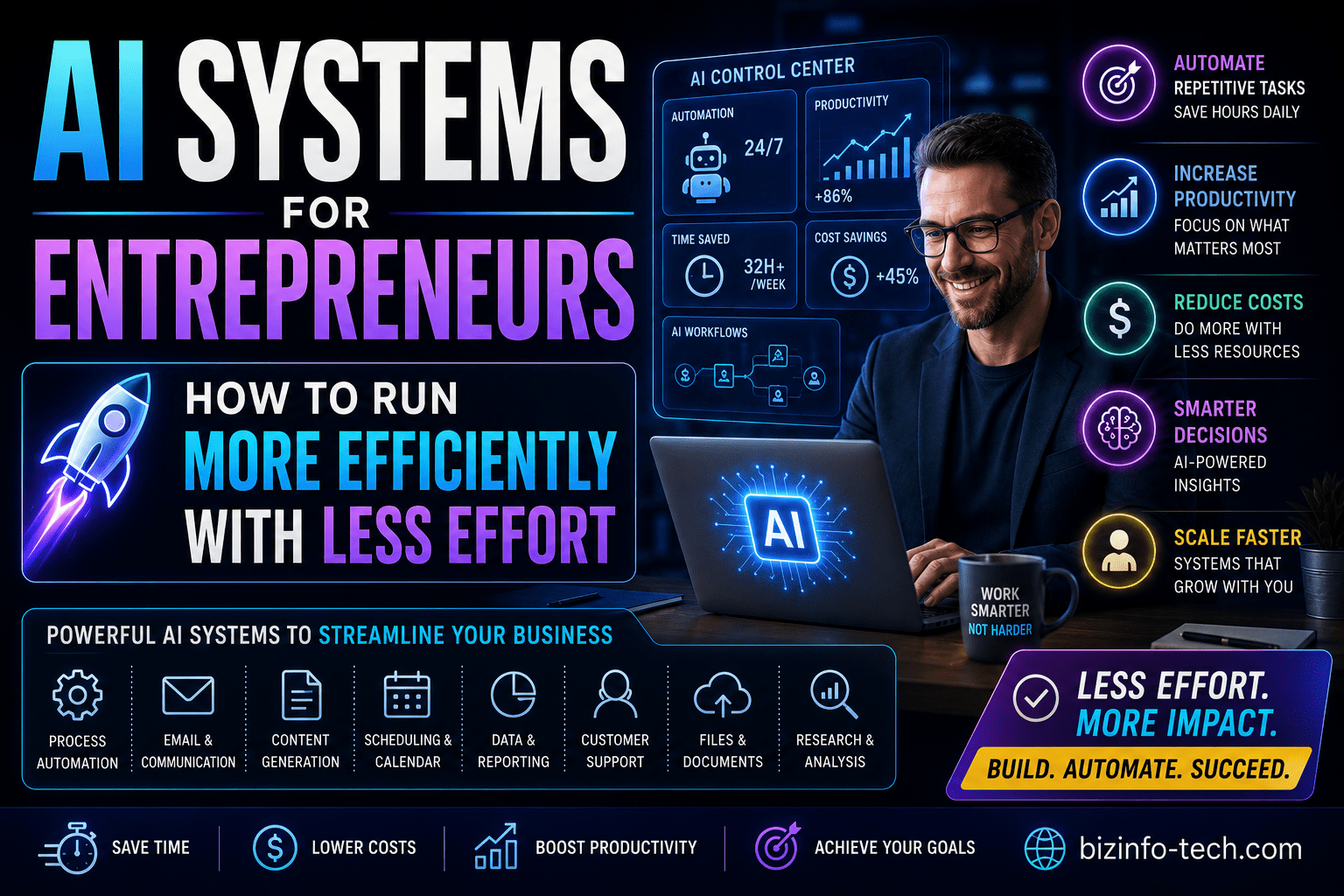
The Efficiency Trap Most Entrepreneurs Fall Into
Here’s a pattern that plays out in nearly every growing business.
An entrepreneur starts out doing everything themselves. It works — because when you’re small, being involved in everything is actually an advantage. You know every client, every project, every number. You can make fast decisions because you have full context. You can move quickly because there’s no coordination overhead.
Then the business grows. More clients. More projects. More team members. More complexity. And the entrepreneur tries to keep doing what worked before — staying involved in everything, being the person who knows and does and decides.
It stops working. The business hits a ceiling determined not by market demand or talent or product quality, but by the entrepreneur’s personal capacity. There are only so many hours in a day. There are only so many things one person can think about, decide, manage, and do.
This is the efficiency trap. And it’s where most entrepreneurial businesses get stuck.
The way out isn’t working harder. It isn’t hiring more people. It isn’t yet another productivity framework or morning routine or time-blocking system. Those things help at the margins, but they don’t solve the underlying problem.
The solution is systems — specifically, AI-powered systems that take the operational machinery of your business off your plate and run it without your constant involvement.
That’s what this guide is about. Not tools. Not tips. Systems — the kind that let you run a more efficient, more scalable business with genuinely less effort from you.
The Difference Between Using AI Tools and Running AI Systems
This distinction is important and most entrepreneurs miss it entirely.
Using AI tools means opening ChatGPT when you need help writing something, using a scheduling tool to book meetings, maybe running a few automations that save time on specific tasks. These are useful. They’re also fragmented. Each tool exists in isolation. You have to remember to use them. The value is real but limited.
Running AI systems means building an interconnected operational infrastructure where AI handles entire domains of your business automatically — not just individual tasks, but complete processes that run from trigger to outcome without your involvement.
The difference in outcomes is not incremental. It’s categorical.
An entrepreneur using AI tools might save an hour or two a day. An entrepreneur running AI systems might free up 20–30 hours a week that were previously consumed by operational work — and redirect all of that toward client work, growth, or simply a better quality of life.
Think about it like this. Using an AI writing tool to draft emails faster is like getting a more fuel-efficient car. Still requires you to drive. Running an AI system that handles your entire follow-up communication sequence is like having a driver — the car moves whether you’re paying attention to it or not.
Systems run while you sleep. Systems run when you’re on vacation. Systems run when you’re overwhelmed with client work and simply can’t attend to operational details. That’s the actual value of building AI systems rather than using AI tools.
The Four Systems Every Entrepreneur Needs
There are many AI systems you could build in a business. But four of them have an outsized impact on entrepreneur efficiency — because they cover the operational areas that consume the most time and cause the most friction for most solo operators and small teams.
Get these four right and you’ll have transformed how your business runs. Everything else is iterative improvement on top of this foundation.
System 1: The Lead and Sales System
The problem it solves: Inconsistent follow-up. Leads falling through the cracks. Spending hours on sales administration instead of actual selling. The emotional drain of manually chasing prospects.
What the system does:
Every new lead that enters your business — regardless of where they come from — is automatically captured, qualified, and entered into a consistent experience. The system handles the first touch, the follow-up sequence, the qualification, and the handoff to a sales conversation. Nothing gets missed. Nothing depends on you remembering.
Here’s what a complete lead and sales system looks like in practice:
A prospect finds you — through your website, a referral, a social media post, a speaking event. They fill out a form, send an email, or connect with you directly.
Within minutes (not hours, not the next morning when you check email), they receive a personalized acknowledgment that speaks to their specific situation. Not a generic autoresponder — a message that references what they told you and sets clear expectations for next steps.
Their information is automatically captured in your CRM with every detail logged. They’re scored against your ideal client criteria. If they’re a strong fit, a task is created for you to reach out personally within 24 hours. If they’re not an obvious fit, they enter a nurture sequence that keeps you top of mind until they’re ready.
If they don’t book a call within 48 hours, a follow-up sequence begins. Three, four, five thoughtfully spaced touchpoints — each providing value, each with a clear path to booking a conversation. The sequence runs automatically. You don’t have to remember to follow up. You don’t have to feel awkward about sending the third email. The system does it.
When a prospect does book a call, they automatically receive a confirmation, a calendar invite, a reminder 24 hours before, and a reminder one hour before. After the call, your notes are captured and the next steps are triggered automatically.
When a deal closes, the onboarding system takes over seamlessly.
The impact: Consistent follow-up regardless of how busy you are. Zero leads fall through the cracks. Response times go from hours or days to minutes. And you spend your sales time on actual conversations, not administration.
System 2: The Client Delivery System
The problem it solves: Inconsistent client experiences. Spending enormous amounts of time on project administration, communication updates, and delivery logistics. Clients who feel uninformed. Delivery quality that varies based on how much bandwidth you have.
What the system does:
The moment a client signs, a complete delivery infrastructure activates. From onboarding to final delivery to offboarding, the system handles the communication, coordination, and documentation — so your focus can be on the actual work that requires your expertise.
Here’s what a complete client delivery system looks like:
Contract signed. Within 30 seconds, the client receives a warm, specific welcome email that tells them exactly what happens next and when. Their project folder is created from a template. Their intake questionnaire is sent. Their kickoff call is ready to schedule. Your team is notified with all relevant context.
Intake questionnaire completed. The responses are automatically organized into the project brief. A summary is created and shared with everyone working on the project. The project timeline is generated from your standard template, adjusted for the specifics of this engagement.
Throughout the project, status updates go out to the client on a regular schedule — automatically generated from what’s actually happening in your project management tool, not written manually. Clients feel informed without you having to spend time keeping them informed.
Milestones are reached. Deliverables are sent with automatically generated cover notes that provide context and request specific feedback. Feedback is captured in a structured format that makes it actionable.
Project completes. Final deliverables are packaged and sent. An automated check-in occurs 30 days post-delivery to see how things are going. A testimonial or review request is sent at the right moment, when satisfaction is highest. A re-engagement sequence begins after a defined period of inactivity.
The impact: Every client gets a consistent, professional experience regardless of how many other clients you’re serving simultaneously. Your own focus goes to the actual work — not the logistics surrounding it. Client satisfaction improves because communication is proactive and consistent. Referrals increase because the experience is reliably excellent.
System 3: The Financial Operations System
The problem it solves: Late invoices. Awkward payment follow-up. No real-time visibility into your financial position. Hours spent on bookkeeping and financial administration.
What the system does:
Money is the oxygen of a business. Financial operations that run smoothly and automatically free you from one of the most persistent sources of stress and administrative drag in entrepreneurship.
A complete financial operations system covers the full cycle from project completion to payment received.
Project completed or milestone reached — invoice generated automatically with the correct amounts, line items, and client details. Sent to the client with a professional covering message. Due date set. Everything logged.
Seven days before due date — a gentle reminder sent automatically. “Just a heads up that invoice #X is due on [date]. Let us know if you have any questions.”
Invoice goes past due — a polite but clear follow-up sent. Then another. Then an escalation that you handle personally, because at that point a human conversation is more effective than an automated one.
Invoice paid — payment automatically logged. Project records updated. Client relationship status updated in your CRM. If the project is now complete, the post-project follow-up sequence is triggered.
On the bookkeeping side, transactions are automatically categorized. Expense reports are processed from photos of receipts without manual entry. Monthly financial summaries are generated and delivered to your inbox automatically. Quarterly tax estimates are calculated and flagged.
The impact: Cash flow improves because invoices go out immediately and follow-up is consistent. The awkwardness of chasing payment disappears because the system handles it before it becomes a real problem. You have real-time financial visibility without spending hours on bookkeeping. And the financial stress that drains so many entrepreneurs — not knowing what’s coming in, not knowing where the money went — largely dissolves.
System 4: The Content and Marketing System
The problem it solves: Inconsistent marketing presence. Content creation that falls off when you’re busy with client work. Hours spent producing content across multiple channels. No system for turning your expertise into consistent audience growth.
What the system does:
For most entrepreneurs, marketing is the first thing to suffer when client work gets busy — and then you find yourself in a feast-or-famine cycle where periods of intense client work are followed by periods of scrambling to find the next piece of business.
A complete content and marketing system breaks that cycle by making consistent marketing presence nearly automatic.
You create content once, in whatever format comes most naturally — a blog post, a long-form LinkedIn piece, a podcast episode, a video, a newsletter. AI handles the rest.
The long-form piece is automatically reformatted into platform-specific short-form content: three LinkedIn posts, a Twitter thread, an Instagram caption, an email newsletter excerpt. Each version is adapted for the tone and format of that platform, not just truncated.
Posts are scheduled across all your channels automatically. The newsletter goes to your list on a consistent schedule. Performance data is compiled and delivered in a weekly summary that tells you what’s resonating.
New subscribers and followers are welcomed automatically with a sequence that delivers your best content and moves them toward a relationship with your business. Inactive subscribers receive a re-engagement sequence before they’re cleaned from your list.
When leads come in from content — when someone reads a post and fills out your contact form — the lead system takes over seamlessly.
The impact: Consistent marketing presence regardless of how busy you are with client work. The compounding benefit of regular content creation without the time investment of doing it manually. An audience that grows steadily rather than in fits and starts.
Building Your Systems: The Right Order
These four systems work best when they’re built in a specific order — because each one creates the foundation for the next.
Start with Lead and Sales
The Lead and Sales System comes first because it directly affects revenue. Every day you’re operating without it, leads are potentially falling through the cracks and follow-up is inconsistent. Fix this first and the improvement in your business’s revenue reliability is immediate.
Time to build a basic version: one focused weekend or three to four hours spread across a week. Time saved: 5–10 hours per week for most entrepreneurs managing any real volume of leads.
Then Build Client Delivery
Once new business is flowing in reliably, the Client Delivery System ensures that business is delivered consistently and profitably. This system also creates direct impact on client satisfaction and referrals — which feeds back into the lead system.
Time to build a basic version: one to two weeks of intermittent effort. Time saved: 8–15 hours per week depending on how many clients you’re managing.
Then Financial Operations
With leads converting and clients being delivered to, the Financial Operations System ensures the money side is handled efficiently. The stress reduction this creates — just from having consistent invoicing and payment follow-up — is significant beyond the time savings.
Time to build a basic version: a few hours of setup for the core automations. Time saved: 3–6 hours per week.
Then Content and Marketing
With the operational foundation solid, the Content and Marketing System ensures your pipeline stays full and your audience keeps growing even during your busiest periods. This system tends to have the longest lead time before full impact — content compounds over months, not days — which is why it goes last even though it’s highly valuable.
Time to build a basic version: a few hours of initial setup plus a few hours of content batching each week. Time saved in content distribution and reformatting: 3–5 hours per week.
The Technical Side: What You Actually Need to Build These
You don’t need to be technical. You don’t need to hire a developer. Here’s the practical toolkit that builds all four systems.
The Foundation: A Workflow Automation Platform
Zapier or Make (formerly Integromat) is the connective tissue between all your tools. These platforms let you build automated workflows — when X happens in one tool, Y and Z happen automatically in others — without writing code.
Zapier is easier to start with. Make is more powerful for complex workflows. Start with Zapier and migrate specific complex workflows to Make if you need to.
The Core Tools Each System Needs
Lead and Sales System:
- CRM (HubSpot free plan covers everything most entrepreneurs need to start)
- Form tool (Typeform or your website’s native forms)
- Email automation (ActiveCampaign or ConvertKit for sequences)
- Scheduling (Calendly for frictionless booking)
Client Delivery System:
- Project management (Asana, ClickUp, or Notion)
- E-signature (DocuSign or PandaDoc — the trigger that starts your onboarding automation)
- Client portal (optional but valuable for higher-touch services)
Financial Operations System:
- Accounting software (QuickBooks, FreshBooks, or Wave — Wave is free)
- Expense management (Expensify or just your phone’s camera with a scanning app)
- Payment processing (Stripe or PayPal for automated payment links in invoices)
Content and Marketing System:
- Email newsletter platform (ConvertKit, Mailchimp, or Beehiiv)
- Social scheduling (Buffer or Hootsuite)
- AI writing assistant (Claude for drafting and repurposing)
The AI Layer
Layered on top of all four systems, an AI assistant does the work that requires language — writing the personalized confirmation emails, repurposing content into different formats, drafting invoice cover notes, generating project summaries.
Claude or ChatGPT can be integrated directly into your workflows via Zapier — so the AI isn’t something you use manually but something that runs within your automated processes.
The combination of workflow automation (handling the mechanics) and AI (handling the language and judgment) is what makes these systems feel genuinely personalized rather than robotic.
The Mindset Shift That Makes It All Work
There’s a mental model that separates entrepreneurs who successfully build AI systems from those who stay stuck using fragmented tools.
It’s the shift from thinking of yourself as a worker to thinking of yourself as a systems architect.
A worker asks: how do I do this task?
A systems architect asks: how do I build something that does this task so I never have to think about it again?
Every time you do something repetitive, the question isn’t “what’s the fastest way to get this done?” The question is “should this ever require my attention again?”
Most of the time, the honest answer is no. The task is important — it needs to happen consistently and well — but it doesn’t need a human, and specifically it doesn’t need you, a skilled professional whose time has high value.
That reframe changes everything. Instead of optimizing how fast you can do manual work, you start building systems that eliminate the need to do it at all. And the compounding effect of that approach over six months, twelve months, three years is profound.
The entrepreneurs who have built this way describe the experience consistently: the business starts to feel different. Less reactive. Less chaotic. Less dependent on their constant involvement. There’s more white space in the calendar — not because there’s less work to do, but because the work that needs doing is genuinely high-value, requiring judgment and creativity that can’t be systematized away.
That’s the business most entrepreneurs set out to build. AI systems are the most accessible path to it that has ever existed.
Common Mistakes to Avoid
Building AI systems is not difficult, but there are mistakes that consistently trip entrepreneurs up. Here’s what to watch for.
Building Before Documenting
You can’t automate a process you haven’t defined clearly. Before you build any system, document what the process should look like — the trigger, the steps, the decision points, the desired outcome. This documentation makes the build faster and the result more reliable.
Over-Engineering Too Early
The best first version of any system is simple. One trigger. A handful of actions. A clear, predictable outcome. You can always add complexity later — branching logic, personalization layers, exception handling. Start simple, get it working, then improve.
Ignoring the Human Touchpoints
Not every part of a process should be automated. Some client interactions require genuine human warmth and judgment. Some sales conversations need to happen personally. Build your systems to handle the mechanics and route the situations that need a human to you — don’t try to automate everything.
Forgetting to Monitor
Systems break. APIs change. Connected tools update and fields move. Build a habit of reviewing your automation error logs weekly and checking that key workflows are actually firing as expected. A broken automation you don’t know about is often worse than no automation at all — because it creates the impression that something is handled when it isn’t.
Building Without Measuring
Before you build each system, define what success looks like. How much time should this save? What conversion rate should this achieve? What does a well-delivered client experience score? After 60 days of running the system, check whether those outcomes are being achieved. If not, iterate.
What Life Actually Looks Like With These Systems Running
Let’s make this concrete. Here’s what a typical week looks like for an entrepreneur who has built all four systems and let them run for a few months.
Monday morning. You sit down to a dashboard showing your current pipeline, active projects, and financial position — automatically compiled from your connected tools. No manual reporting. Just visibility.
Tuesday afternoon. A new lead comes in while you’re on a client call. By the time you finish the call, the lead has already received a personalized response, been entered in your CRM, and been scored. A task is waiting for you to review their inquiry and decide whether to reach out personally. The whole thing happened without your involvement.
Wednesday. Three client project status updates went out automatically that morning, pulling the latest information from your project management tool. Three clients feel informed and well-served. You didn’t write a single update.
Thursday. An invoice went out automatically when you marked a project milestone complete on Tuesday. The client has already paid. The payment has been logged and the bookkeeping is updated. You didn’t have to think about it.
Friday. Your weekly content is scheduled across three platforms. The newsletter went out Thursday morning. Performance data from last week’s content is sitting in your inbox. Your pipeline has been touched by the nurture sequence — two prospects who have been thinking about working with you replied this week.
This isn’t fantasy. It’s what running AI systems actually looks like — not on the best possible week, but on a normal one.
Frequently Asked Questions
How long does it take to build all four systems?
A basic version of all four systems can be built over four to six weeks with focused effort — roughly one system per week. More sophisticated versions with additional personalization and complexity take longer. The right approach is to build a working v1 of each system, then improve iteratively based on real experience.
What does it cost to run these systems?
A full stack of tools to run all four systems typically runs $150–$400 per month depending on the platforms you choose and your usage levels. That cost is almost always recovered many times over by the time savings and revenue improvement the systems create.
Do I need to know how to code?
No. Every system described in this guide can be built using no-code tools — Zapier, your CRM’s built-in automation features, your email platform’s workflow builder. The technical complexity is minimal with modern tools.
What if my business is too unique for standard systems?
The frameworks in this guide apply to virtually every service business, regardless of what it specifically does. The details of your particular service or client type will shape how you configure each system, but the underlying architecture — capture leads, deliver consistently, handle finances, market regularly — is universal.
Should I hire someone to build these for me?
It depends on your time versus money trade-off. Building them yourself takes more time but gives you deep understanding of how they work, making them easier to maintain and improve. Hiring a specialist (Zapier experts and automation consultants are readily available) can compress the implementation timeline significantly if your time is more constrained than your budget.
The Bottom Line
The efficiency ceiling that stops most entrepreneurs from building the business they imagined isn’t a talent ceiling or a market ceiling. It’s an operational ceiling — the limit of what a person can personally manage, coordinate, and execute.
AI systems don’t raise that ceiling. They remove it.
When your lead intake runs automatically, your client delivery runs automatically, your financial operations run automatically, and your marketing runs automatically — your capacity is no longer limited by your personal bandwidth. It’s limited by your vision for what to build next.
That’s a fundamentally different kind of business. One that grows without proportionally growing the demands on you. One that delivers consistent quality without requiring your constant oversight. One that works while you’re busy, while you’re resting, while you’re doing the high-value work that only you can do.
Four systems. Built one at a time. Starting with the one that moves the most money.
That’s the roadmap.
Start building.
Related reads: The Ultimate Guide to AI for Business Operations | Building an AI-Powered Business: The Complete Roadmap for Entrepreneurs | AI Workflows for Small Businesses: 15 Processes You Can Automate Today