The Document Nobody Reads — Until Everything Falls Apart
Most businesses have some version of SOPs. They live in a shared Google Drive folder, a Notion workspace, a binder on a shelf somewhere. They were written during a particularly organized moment, or after something went wrong and someone said “we need to document this so it doesn’t happen again.”
And then nothing much happens with them.
The new hire skims them on day one and never opens them again. The senior team member who actually knows how things work doesn’t consult them because the real process evolved differently from what’s written. The manager who commissioned them hasn’t looked at them in months.
Sound familiar?
There’s a reason SOPs have a reputation for being more work to create than they’re worth. Traditional SOPs — even well-intentioned ones — are written for humans who are expected to use judgment, skip steps they already know, and adapt to situations the document didn’t anticipate.
That works tolerably well for human onboarding. It doesn’t work at all for AI.
AI doesn’t fill in gaps with context. It doesn’t know what “the usual way we handle it” means. It can’t infer intent from a vague instruction or adapt gracefully to an undocumented edge case. When you give AI a poorly defined process, you get poorly defined outputs — or you get nothing at all.
But here’s the flip side of that: when you give AI a well-defined process, something remarkable happens. It executes it perfectly. Every time. Without getting tired, distracted, or inconsistent. Without forgetting a step or improvising when something feels inconvenient.
The bar AI sets for a good SOP is higher than the bar humans set. And reaching that bar — building SOPs that AI can actually execute — turns out to produce the best SOPs you’ve ever had for human use too.
This guide is the complete playbook for writing SOPs that AI can execute. By the end, you’ll understand exactly what makes the difference, how to write them from scratch, and how to audit the ones you already have.
Why Most SOPs Fail (For Humans and AI Alike)
Before building better SOPs, it’s worth understanding why existing ones usually underperform — because the failure modes for human-readable and AI-executable SOPs are more similar than most people expect.
Vague Language That Assumes Shared Context
“Handle this professionally.” “Use your best judgment.” “Follow the standard process.” “Respond in a timely manner.”
These phrases feel like instructions. They aren’t. They’re placeholders for instructions — shorthand that only makes sense if you already know what professional means in this context, what the standard process is, and what timely means for this particular situation.
Humans with context can work with these phrases. They infer the meaning from institutional knowledge and experience. AI cannot. And even for humans, this kind of language creates inconsistency — because “professional” and “timely” mean slightly different things to different people.
The cure is the same for both: replace vague language with specific criteria. Not “respond in a timely manner” but “respond within 4 business hours.” Not “handle this professionally” but “use Template B for this situation, adjusting the opening line to reference the specific issue they raised.”
Undocumented Decision Points
Most processes have moments where the path forward depends on a condition. If the client is in the Enterprise tier, do X. If the inquiry came through the website form, do Y. If it’s a refund request over $500, escalate.
Traditional SOPs often describe the most common path and leave decision points implicit. “Everyone knows” to escalate the big refunds. “It’s obvious” that enterprise clients get the premium treatment.
AI doesn’t know. It will follow whichever path you documented — and if you documented only one path, that’s the one it will always take regardless of the actual situation.
Every decision point needs to be explicitly documented. Not implied. Not obvious. Written out as a complete if/then statement with every branch covered.
Missing Triggers and Outcomes
A process doesn’t exist in a vacuum. It starts somewhere and ends somewhere. Most SOPs describe the middle — the steps — without clearly defining what initiates the process or what “done” looks like.
For AI to execute a workflow, it needs a defined trigger: what event starts this? And it needs a defined outcome: what state should exist when this process is complete? Without both, the AI has no way to know when to start, and no way to know when to stop.
No Error Handling
What happens when something goes wrong? When the data expected isn’t there. When the email bounces. When the client’s response doesn’t match any of the scenarios you planned for.
Humans navigate errors intuitively. They notice something is off, adjust, and move on. AI needs explicit error handling — defined responses for defined failure scenarios — or it will either fail silently or behave unpredictably when it encounters anything outside the happy path.
The Anatomy of an AI-Executable SOP
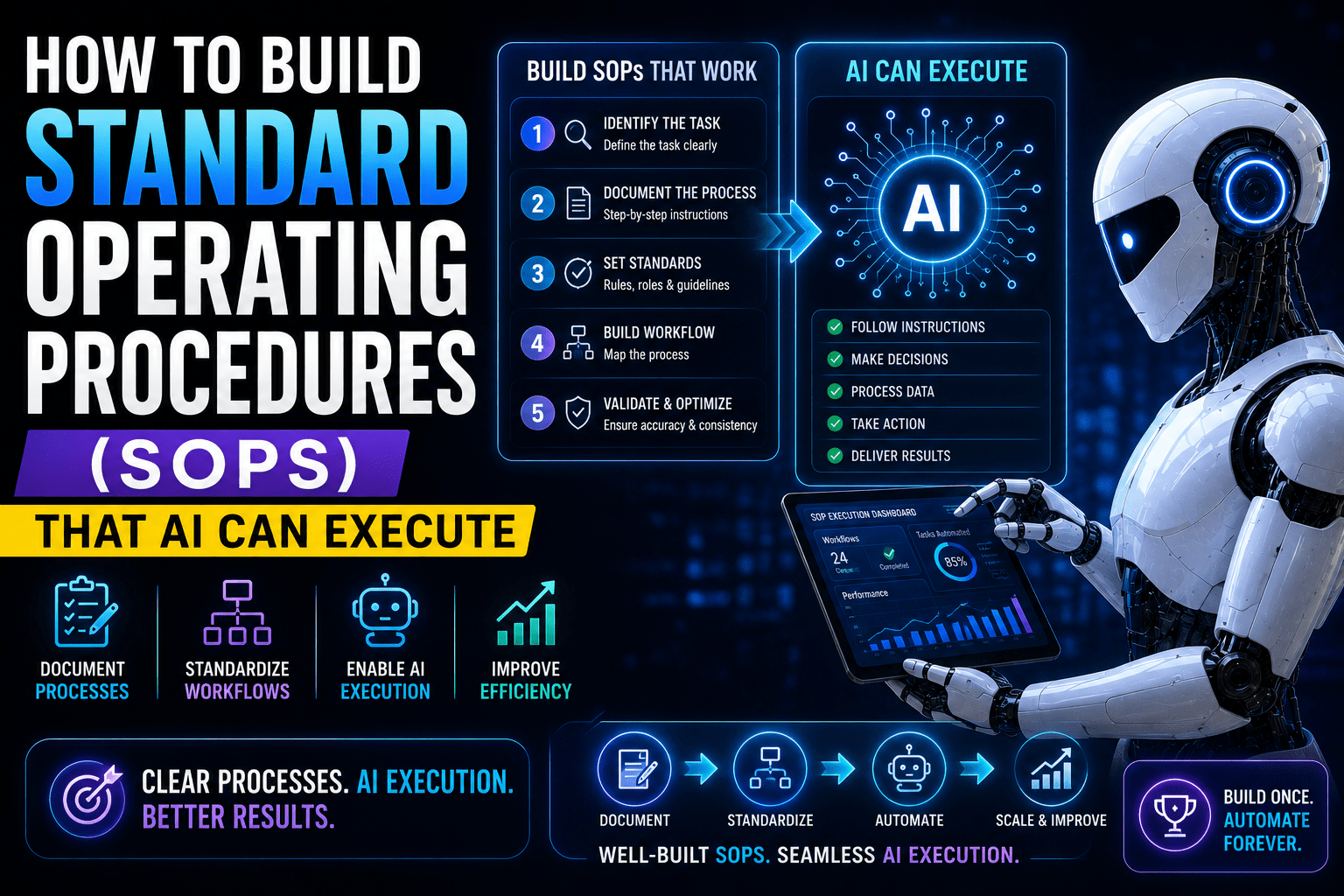
An SOP that AI can actually execute looks different from a traditional SOP. Here are the elements every one must contain.
1. Process Name and Purpose
What it is: A clear, specific name and a one-sentence description of what this process accomplishes and why it matters.
Why it matters: Helps AI understand the context and goal of the process — not just the steps. When AI understands the purpose, it can better handle edge cases by asking “does this action serve the purpose?” rather than blindly following a sequence.
Example:
- ❌ “New Lead Process”
- ✅ “New Lead Intake and Initial Response — Ensures every new lead who contacts us through the website form receives a personalized acknowledgment within 2 hours and is correctly entered into our CRM with accurate qualification data.”
2. Trigger Definition
What it is: The specific event or condition that starts this process. Defined precisely enough that a system can detect it reliably.
Why it matters: AI workflows need an explicit trigger to know when to begin. Without it, the process never starts — or starts at the wrong time.
Trigger types to document:
- Event-based: A form is submitted, an email is received, a payment is processed, a task is marked complete
- Time-based: Every Monday at 9am, on the 1st of each month, 7 days after client kickoff
- Condition-based: When a deal stage changes to “Proposal Sent,” when a customer satisfaction score drops below 7, when an invoice is 14+ days overdue
Example:
- ❌ “When a new lead contacts us”
- ✅ “Trigger: New submission received on the Website Contact Form (contact-us page). This process begins immediately upon submission — there is no delay or waiting period.”
3. Required Inputs
What it is: Every piece of data the process needs to execute, where that data comes from, and what format it should be in.
Why it matters: AI workflows fail when they expect data that isn’t there, is in the wrong format, or comes from an unexpected source. Documenting required inputs prevents this class of failure.
What to include:
- What data is needed (contact name, email, company, inquiry type, etc.)
- Where it comes from (form field, CRM record, email body, etc.)
- What format is expected (text, number, date, dropdown value, etc.)
- What to do if a required input is missing (skip step, use default value, alert a human)
Example:
Required inputs:
- Contact first name (from form field: “First Name” — text)
- Contact email address (from form field: “Email” — must be valid email format)
- Service interest (from form field: “What are you interested in?” — dropdown, values: Marketing, Operations, Strategy, Other)
- Company name (from form field: “Company” — text, optional)
If email address is missing or invalid: Stop process, log error, alert [team@company.com] with form submission details.
4. Step-by-Step Process — Written for AI
This is the core of the SOP, and where the biggest gap exists between traditional SOPs and AI-executable ones.
Every step needs:
- A clear action verb (create, send, update, check, assign, tag)
- A specific object (the CRM contact record, the email template, the project task)
- Precise parameters (which template, which field, what value)
- Expected completion indicator (what is true when this step is done)
Formatting principle: Write steps as if you’re giving instructions to someone who has never worked in your business, has no institutional knowledge, and will do exactly what you say — nothing more, nothing less.
Example of a poorly written step:
“3. Add the lead to the CRM.”
Example of an AI-executable step:
“3. Create a new Contact record in HubSpot using the following field mappings:
- First Name: [form field: First Name]
- Last Name: [form field: Last Name]
- Email: [form field: Email]
- Company: [form field: Company] (leave blank if not provided)
- Lead Source: ‘Website Contact Form’
- Lead Status: ‘New’
- Service Interest: [form field: Service Interest]
- Contact Owner: Leave unassigned (will be assigned in Step 7)
Confirmation: Contact record created with all available fields populated. Email address verified as unique (no existing contact with this email).”
5. Decision Points — All Branches Documented
Every if/then in your process must be fully documented, with every branch explicitly defined.
Format for documenting decision points:
Decision Point [X]: [Describe the condition being evaluated]
IF [condition A]: → [Specific action or next step] IF [condition B]: → [Specific action or next step] IF [condition C]: → [Specific action or next step] IF [none of the above / unclear]: → [Defined fallback — usually escalate to human]
Example:
Decision Point 1: Evaluate lead qualification based on Service Interest and Company field.
IF Service Interest = “Marketing” OR “Operations” AND Company field is not blank: → Tag contact as “Qualified Lead,” assign to [sales@company.com], proceed to Step 8 (Priority Follow-Up sequence)
IF Service Interest = “Strategy” regardless of Company field: → Tag contact as “High Priority Lead,” assign to [founder@company.com], proceed to Step 9 (Founder Outreach sequence)
IF Service Interest = “Other”: → Tag contact as “Needs Qualification,” assign to [team@company.com], proceed to Step 10 (Qualification Email)
IF Service Interest field is blank or missing: → Tag contact as “Incomplete Submission,” send to Step 11 (Missing Info Request), do not assign to team member yet
6. Templates and Assets — Fully Written Out
Any communication, document, or output that the process generates should be fully documented — not referenced by name but written in full within the SOP or linked to a specific, current version.
“Send Template B” isn’t sufficient. If Template B doesn’t exist in the system, or if the wrong version gets used, the process fails or produces wrong output.
For email templates, include:
- Subject line (with any dynamic variables clearly marked)
- Full email body (with every dynamic variable identified: [First Name], [Service Interest], [Booking Link], etc.)
- Sender name and email address
- Any attachments
For document templates, include:
- Link to the current master template (not a working file)
- Naming convention for the new document
- Fields to populate and where the data comes from
Example email template within an SOP:
Template: New Lead Acknowledgment Email
From: [your name] hello@company.com To: [Lead Email] Subject: Re: Your inquiry about [Service Interest] — next steps
Hi [First Name],
Thank you for reaching out. I received your message and wanted to get back to you quickly.
Based on what you shared about [Service Interest], I think there’s a good chance we can help. Here’s what I’d suggest as a next step:
[If Service Interest = Marketing or Operations]: Book a 30-minute intro call here: [Calendly Link — Marketing/Operations]
[If Service Interest = Strategy]: I’d like to have a slightly longer conversation about what you’re working on. Book a 45-minute strategy call here: [Calendly Link — Strategy]
[If Service Interest = Other]: I’d love to learn more about what you have in mind. Reply to this email with a bit more detail and I’ll come back to you within 24 hours.
Looking forward to connecting.
[Your Name]
7. Error Handling — Every Failure Mode Addressed
For every step that could fail, document what the failure looks like and what should happen when it occurs.
Common failure modes to document:
- Required input data is missing or malformed
- API call fails or returns an error
- No matching condition in a decision point
- External service is unavailable
- Output doesn’t match expected format
Format for error handling:
Error Handling — Step [X]: Failure scenario: [What could go wrong] Detection: [How to know it went wrong] Response: [What the system should do — retry, use fallback, alert human, log and skip] Alert: [Who gets notified and how]
Example:
Error Handling — Step 3 (Create HubSpot Contact):
Failure scenario: HubSpot API returns error or contact creation fails Detection: No contact record created in HubSpot within 30 seconds of attempt Response: Retry once after 5 minutes. If second attempt fails, log all form submission data to [Error Log Sheet], send alert email to [admin@company.com] with full form data and error message Alert: Email to admin@company.com with subject: “⚠️ Lead Intake Error — Manual Action Required” Manual fallback: Admin manually creates contact in HubSpot using the data in the error log
8. Output and Completion Criteria
What it is: A clear definition of what should be true when the process is successfully complete.
Why it matters: AI needs to know when it’s done. Without a defined completion state, processes can run indefinitely, stop prematurely, or produce partial outputs that aren’t useful.
Example:
Process Complete When:
- New contact record exists in HubSpot with all required fields populated
- Contact has been tagged with appropriate lead qualification status
- Contact has been assigned to appropriate team member (or flagged for qualification)
- Acknowledgment email has been sent and delivery confirmed
- Follow-up task has been created in [project management tool] with correct due date and assignee
- All actions logged in HubSpot contact timeline
9. Version Control and Review Schedule
What it is: Clear documentation of when the SOP was last updated, who owns it, and when it should next be reviewed.
Why it matters: An outdated SOP is often worse than no SOP — it creates confident execution of an incorrect process. AI will faithfully execute whatever is written, including things that were correct six months ago and are now wrong.
Required fields:
SOP Owner: [Name and role] Created: [Date] Last Updated: [Date] Last Reviewed By: [Name] Next Review Date: [Date — typically quarterly for active processes] Change Log: [Brief notes on what changed in each update]
A Practical Walkthrough: Converting a Broken SOP Into an AI-Executable One
Let’s take a real-world example and walk through the conversion.
Before: A Typical Broken SOP
Client Invoice Process
- When the project is complete, send the client an invoice.
- Make sure all work is included.
- Follow up if they don’t pay on time.
- Escalate to management if needed.
This is nearly useless for both humans and AI. No trigger definition. No specification of what “complete” means. No clarity on what “all work” includes. No timeline for follow-up. No criteria for escalation.
After: An AI-Executable Version
SOP: Client Invoice Generation and Payment Collection Owner: Operations Manager | Review: Quarterly | Last Updated: [Date]
Purpose: Ensure clients are invoiced accurately and promptly when project milestones are reached, and that payment is collected within agreed terms through a systematic follow-up process.
Trigger: Project task “Final Delivery Sent to Client” is marked Complete in [Project Management Tool].
Required Inputs:
- Client name and billing email (from CRM contact record)
- Project name and project ID (from project record)
- Line items and amounts (from project scope document linked in project record)
- Payment terms (from client contract — field: “Payment Terms” in CRM)
- Invoice number (auto-generated by accounting software, sequential)
Steps:
Step 1: Pull the following data from the project record in [Project Management Tool]:
- Client name, billing email, project name, project ID, all completed deliverables with hours/amounts, payment terms
Step 2: Create a new invoice in [Accounting Software] with:
- Invoice number: [Auto-generated]
- Client: [Client Name]
- Billing email: [Client Billing Email]
- Invoice date: [Today’s date]
- Due date: [Today’s date + payment terms in days]
- Line items: [Each deliverable from project scope, with description and amount]
- Total: [Sum of all line items]
- Payment link: [Auto-generated payment link from accounting software]
Step 3: Send invoice to [Client Billing Email] using Invoice Email Template (see below).
Step 4: Create follow-up task in [Project Management Tool]:
- Task name: “Follow up on Invoice #[Invoice Number] — [Client Name]”
- Due date: [Invoice due date – 2 days]
- Assignee: [Account Manager listed in CRM contact record]
- Notes: “Invoice #[Invoice Number] for $[Total Amount] due on [Due Date]. If unpaid by due date, automated reminder sequences begin.”
Step 5: Log invoice creation in CRM:
- Add note to [Client Name] contact record: “Invoice #[Invoice Number] for $[Total Amount] sent on [Today’s Date]. Due [Due Date].”
- Update deal stage to “Invoice Sent”
Follow-Up Sequence (Automated):
Day -2 (2 days before due date): Send Reminder Email Template A to [Client Billing Email]
Day +1 (1 day after due date, if unpaid): Send Reminder Email Template B to [Client Billing Email] Create task for [Account Manager]: “Invoice #[Invoice Number] is now overdue — personal follow-up required”
Day +7 (7 days after due date, if still unpaid): Send Reminder Email Template C to [Client Billing Email] Send alert to [Operations Manager]: “Invoice #[Invoice Number] — [Client Name] — $[Amount] — 7 days overdue. Escalation review required.”
Day +14 (14 days after due date, if still unpaid): Pause automated follow-up. Assign to [Operations Manager] for personal handling. Log status in CRM: “Escalated — manual collection in progress.”
Decision Points:
DP1 — Payment Terms: IF payment terms = “Net 30”: Due date = Invoice Date + 30 days IF payment terms = “Net 15”: Due date = Invoice Date + 15 days IF payment terms = “Due on Receipt”: Due date = Invoice Date + 3 days IF payment terms field is blank: Use Net 30 as default, flag to [Operations Manager]
DP2 — Invoice Amount: IF total invoice amount > $10,000: Send copy of invoice to [finance@company.com] with note: “High-value invoice — FYI” IF total invoice amount < $500: Skip follow-up task creation, automated sequences only
Error Handling: IF accounting software returns error on invoice creation: Log all data to [Invoice Error Log], alert [Operations Manager] immediately, do not send invoice until resolved IF client billing email is missing from CRM: Pause process, alert [Account Manager] to update CRM record, retry when email is added
Completion Criteria: ✓ Invoice created in accounting software with correct amounts and due date ✓ Invoice sent to client billing email and delivery confirmed ✓ Follow-up task created and assigned ✓ CRM record updated ✓ All follow-up sequences scheduled
Auditing SOPs You Already Have
If you have existing SOPs, here’s a quick audit framework to assess whether they’re AI-executable.
Run each SOP through these seven questions. Mark each as Pass, Partial, or Fail.
1. Is the trigger clearly defined? Can a system detect exactly when this process should start without human interpretation?
2. Are required inputs specified? Does the SOP list every piece of data needed, where it comes from, and what to do if it’s missing?
3. Are all steps written with specific action verbs and precise parameters? Could someone with zero institutional knowledge execute each step exactly as written?
4. Are all decision points fully documented? Is every if/then written out, with every branch defined — including the “none of the above” case?
5. Are templates included in full? Are all emails, documents, and outputs fully written within the SOP, not just referenced by name?
6. Is error handling defined? For every step that could fail, is there a documented response?
7. Are completion criteria specified? Is it clear what should be true when the process is successfully done?
An SOP that passes all seven is AI-executable. An SOP with any Fails needs to be rewritten before it goes into an automated workflow.
Where SOPs Fit in Your Broader AI Operations Strategy
Well-written SOPs aren’t just documents — they’re the raw material that your AI systems run on.
Every automated workflow you build is an SOP translated into a digital process. The quality of your workflow is directly determined by the quality of the underlying SOP. If the SOP is vague, the workflow will be inconsistent. If the SOP has undocumented decision points, the workflow will fail at those points. If the SOP has no error handling, the workflow will fail silently.
The investment you make in writing precise, complete SOPs before building your automations isn’t overhead — it’s the work that makes your automations actually work. Businesses that try to skip this step and go straight to building automations almost always end up rebuilding them multiple times as they discover the undocumented complexity that was invisible when humans were handling the process with intuition.
Get the SOP right first. Then build the automation. That sequence is what produces workflows that run reliably — and that you can trust to handle your business processes without constant supervision.
Frequently Asked Questions
How long should an AI-executable SOP be?
As long as it needs to be — not a word shorter. The goal isn’t brevity; it’s completeness. A process with three steps and no decision points might be one page. A complex client onboarding process might be ten pages. Both are the right length for what they describe.
Who should write SOPs — the person who does the work or the person who manages it?
The person who does the work knows the reality of what the process involves — including all the undocumented steps and informal workarounds. The manager knows what the process should accomplish. The best SOPs are written collaboratively, with the operator providing the step-by-step reality and the manager ensuring the output aligns with business goals.
How often should SOPs be updated?
Active SOPs — ones being executed by AI workflows — should be reviewed at least quarterly. Any time you discover an automated workflow producing unexpected outputs, that’s a signal the underlying SOP needs updating. Build a review date into every SOP’s header and honor it.
Can you use AI to help write SOPs?
Yes — and it’s one of the most practical uses of AI for operations work. You can describe a process conversationally to an AI assistant and ask it to help you structure it into SOP format, identify missing decision points, and draft template content. The human expertise about what the process should do still has to come from you, but AI can dramatically accelerate the documentation work.
What’s the most common mistake when writing SOPs for AI?
Writing them as if a human with context will fill in the gaps. The single biggest shift required when writing for AI is eliminating every phrase that relies on institutional knowledge, judgment, or “you know what I mean” language. If it can be interpreted multiple ways, it will be interpreted the wrong way. Be specific, be complete, and assume zero prior knowledge.
Final Thought
The businesses that get the most out of AI in their operations aren’t the ones with the most sophisticated tools or the biggest technology budgets. They’re the ones who did the foundational work — documenting their processes completely and precisely before building automation on top of them.
An AI-executable SOP is not just a better automation input. It’s a better document, period. It surfaces the ambiguity and inconsistency in your existing processes. It forces decisions that were previously left to individual judgment. It creates a shared, precise understanding of how work should be done.
That clarity benefits your business whether a human or an AI is executing the process.
Start with your most common, most time-consuming process. Apply the framework in this guide. Build the SOP that AI can actually execute.
Then watch what happens when you hand it off.
Related reads: The Ultimate Guide to AI for Business Operations | Building an AI-Powered Business: The Complete Roadmap for Entrepreneurs | How to Automate Repetitive Business Tasks Using AI